AXIS Cameras
Instructions to add an overlay and synchronise the camera time, this same process need to be followed for each camera feed.
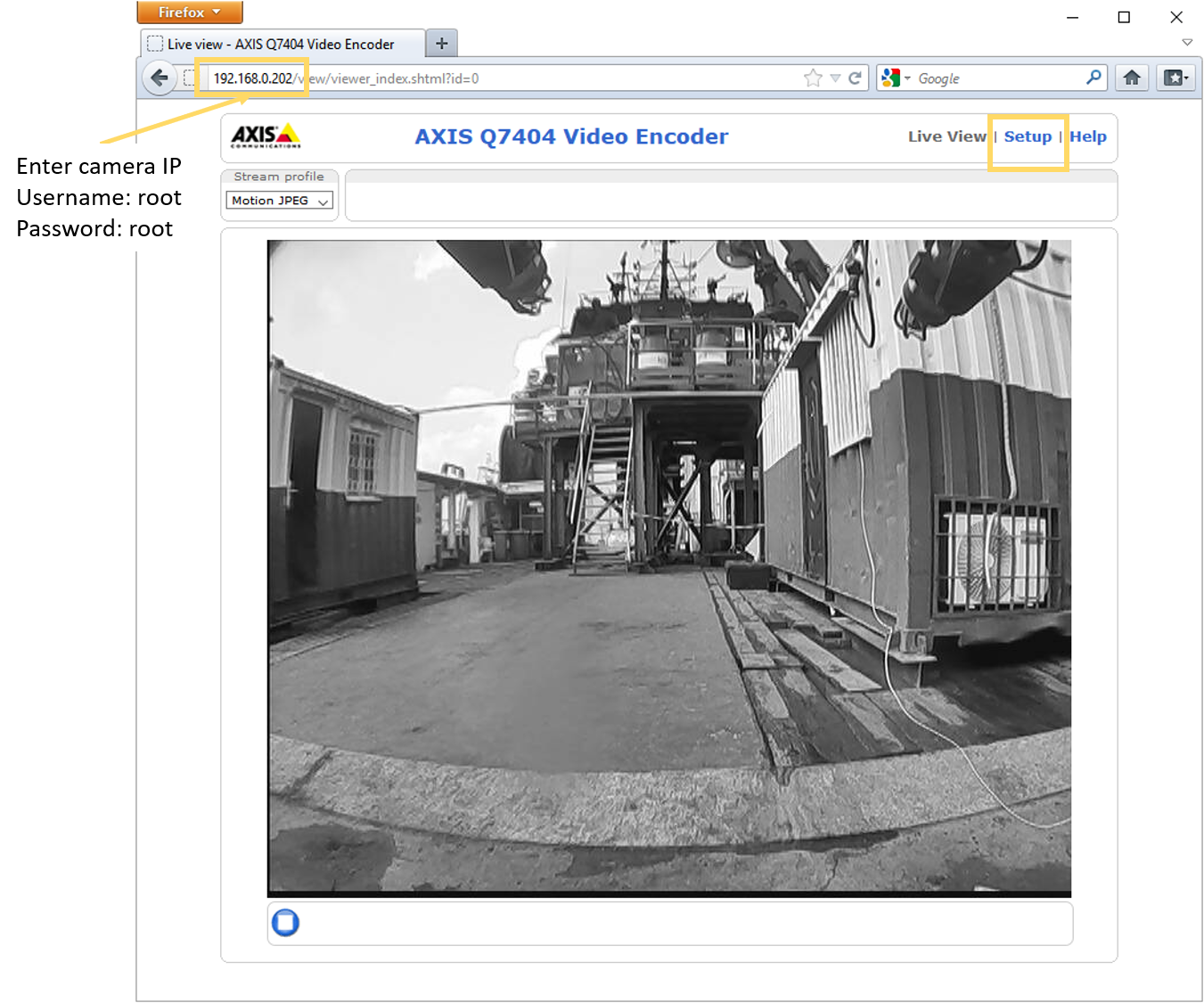
Connect to camera
Connect to the camera via its IP address, as per the vehicle manual. Choose "Setup" from the top right of the screen and enter the username/password.
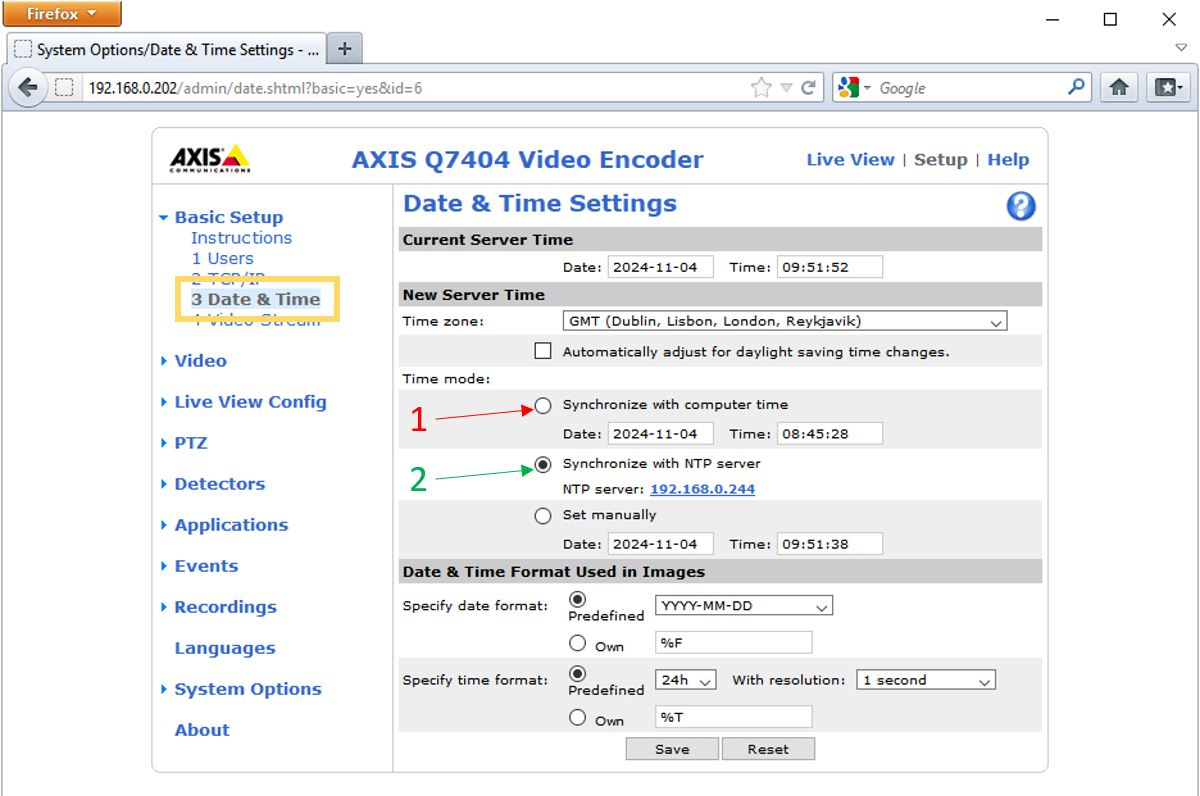
Synchronise Data and Time
To synchronise the time with the RAC, from the menu on the right choose "3 Date & Time". Select "Synchronise with computer time" and then Save. Then select "Synchronize with NTP server" and save again. This forces the unit to synchronise with the RAC.
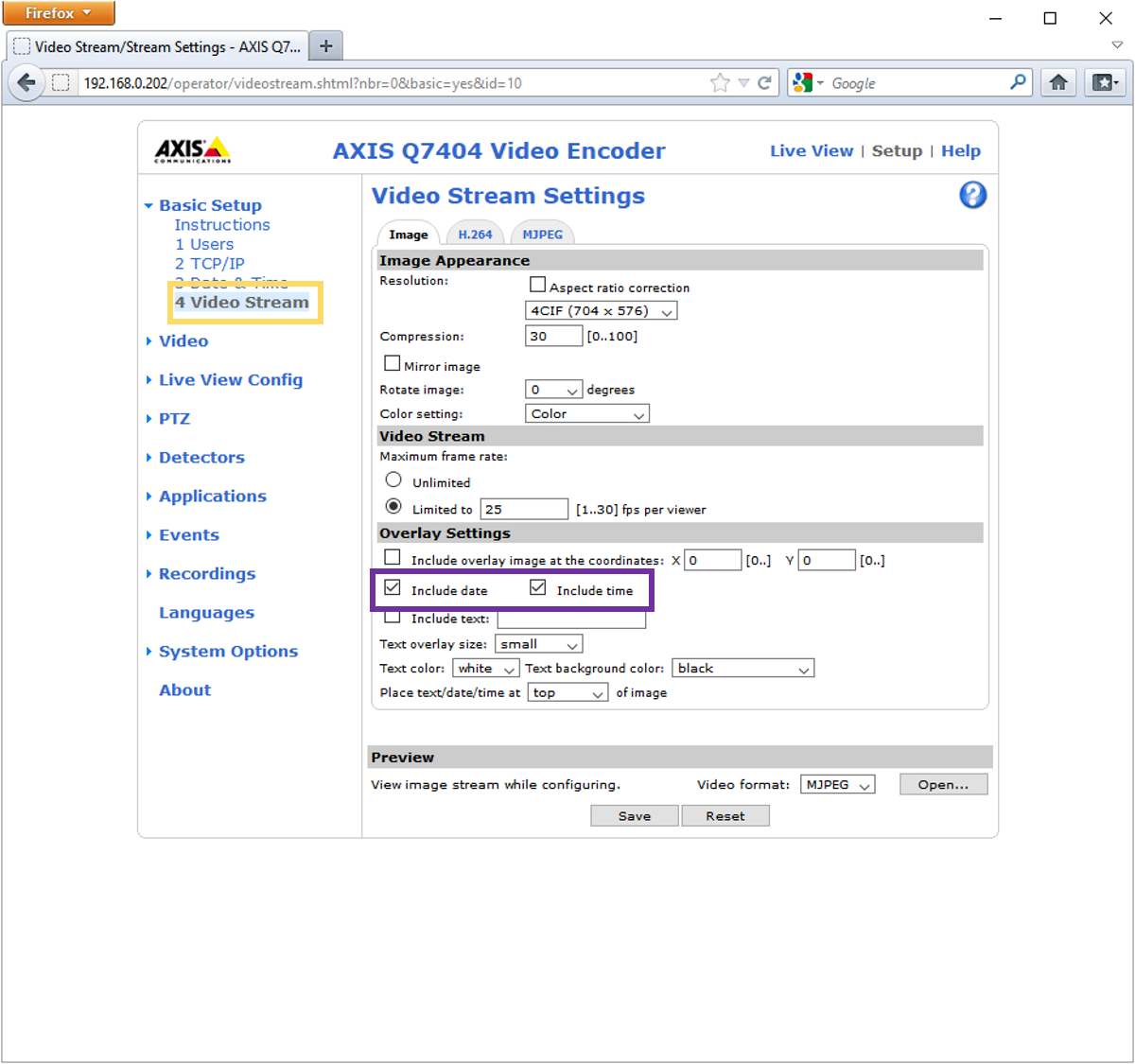
Add Overlay
To display the data & time as an overlay, select "4 Video Stream". Tick the "Include date" and "Include time" boxes and save.
Now, if we select "Live View" from the top right of the screen we should see a date & time overlay on the video feed.
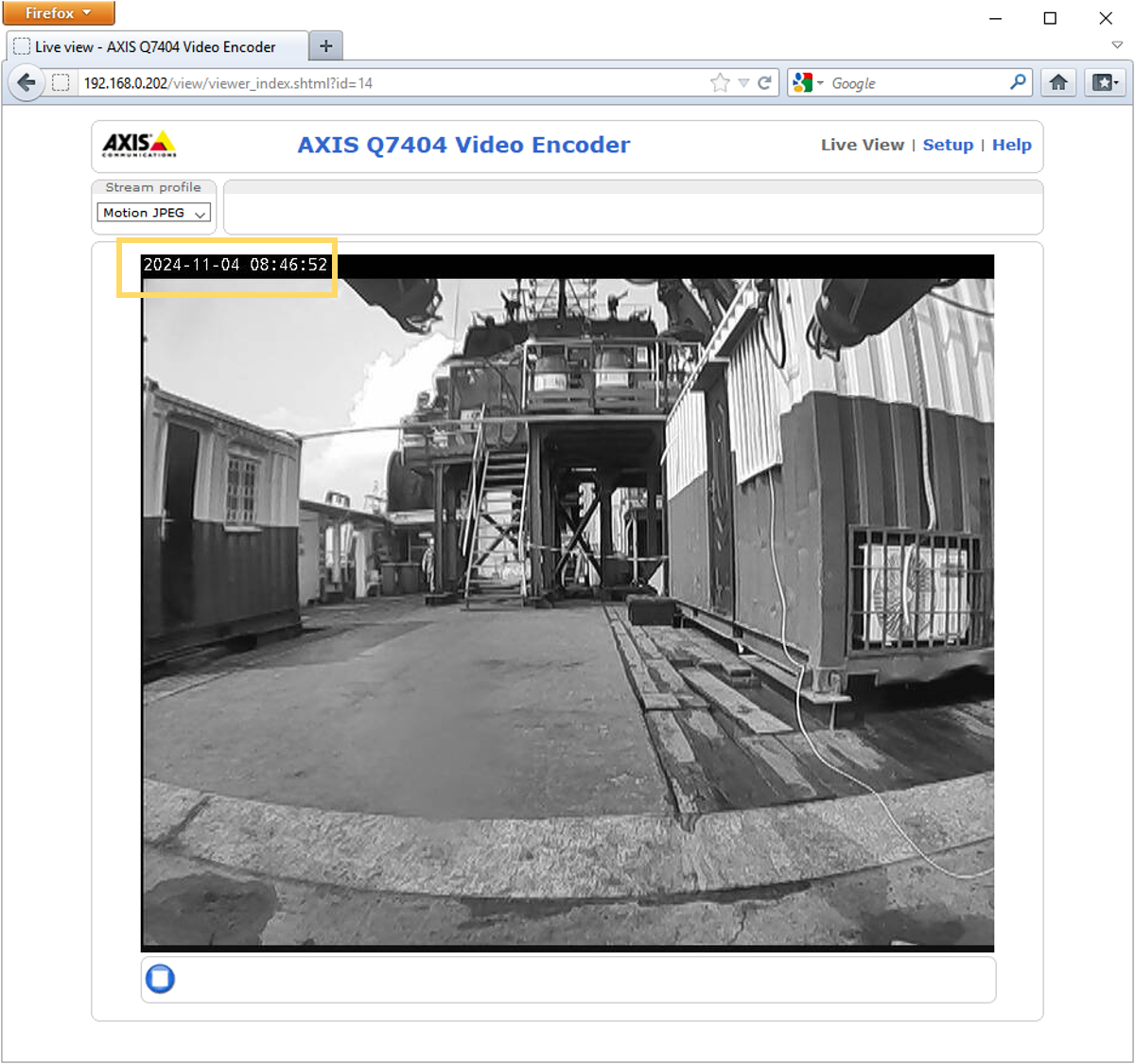
Overlay