Survey Sensors
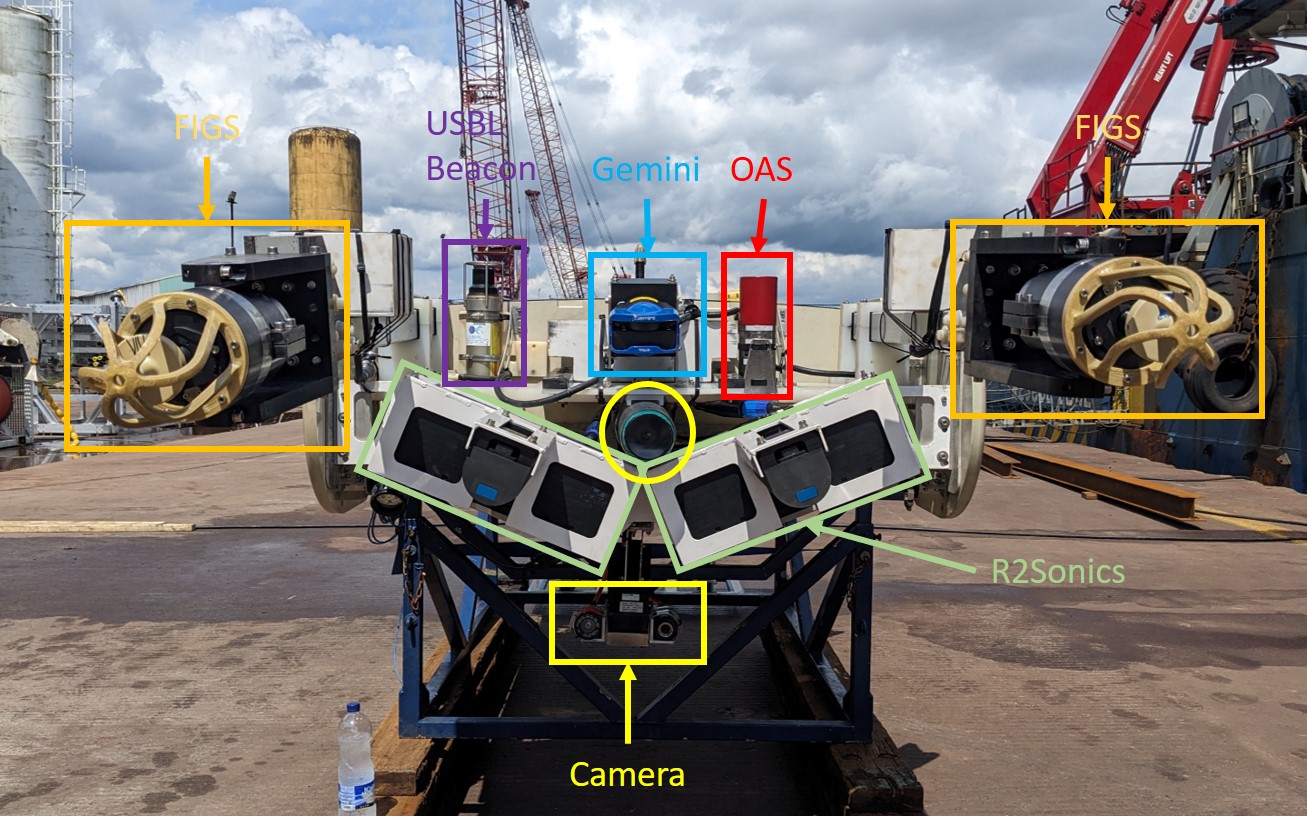
Front View
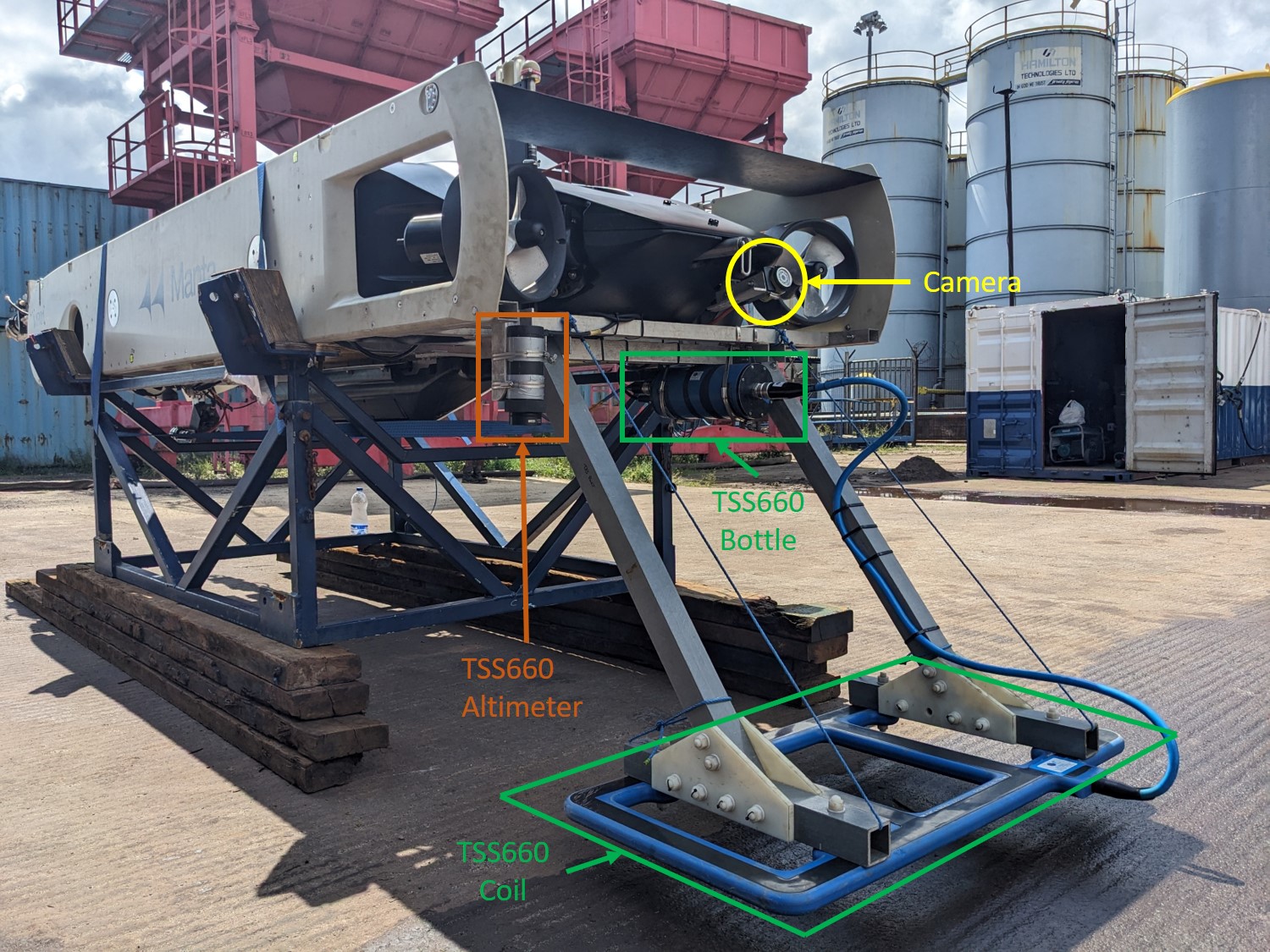
Rear View
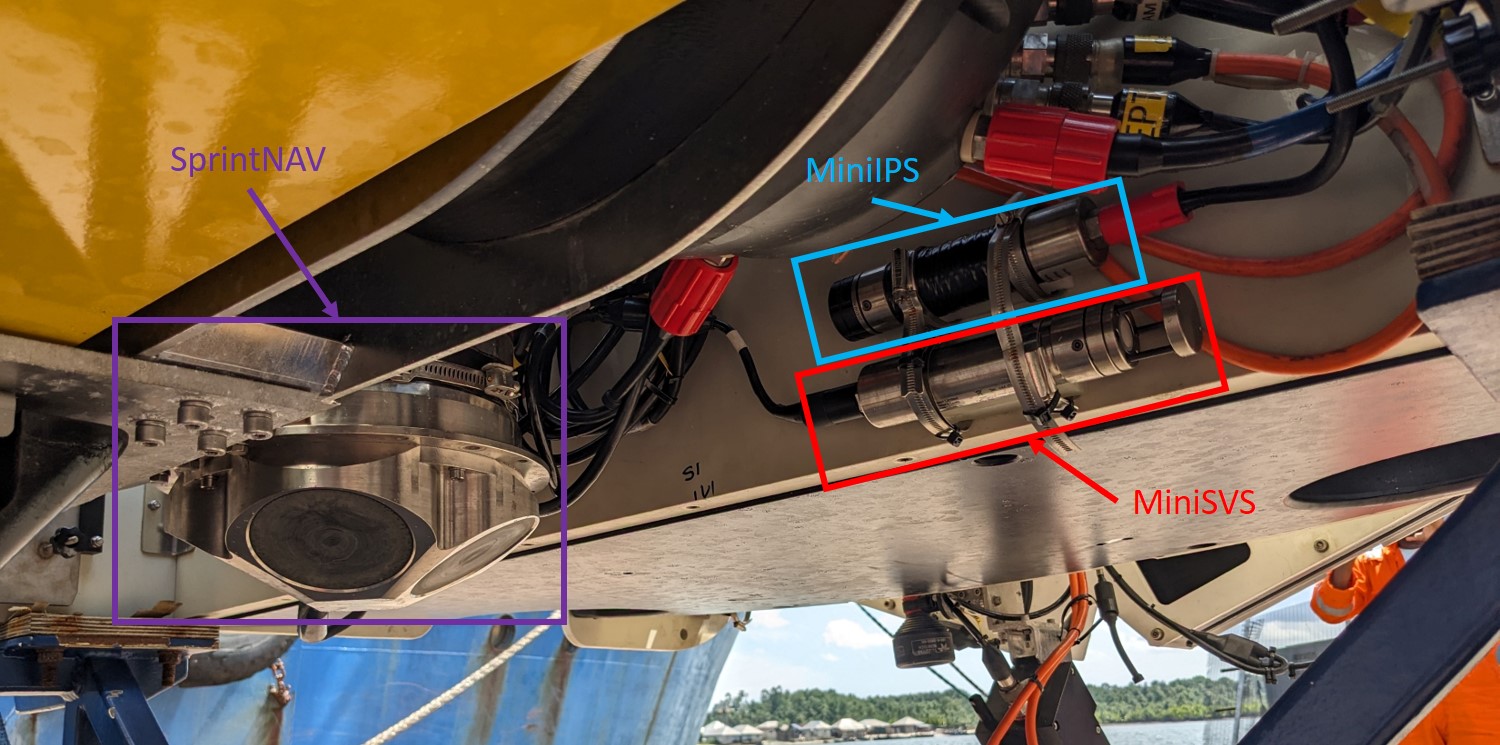
Under View
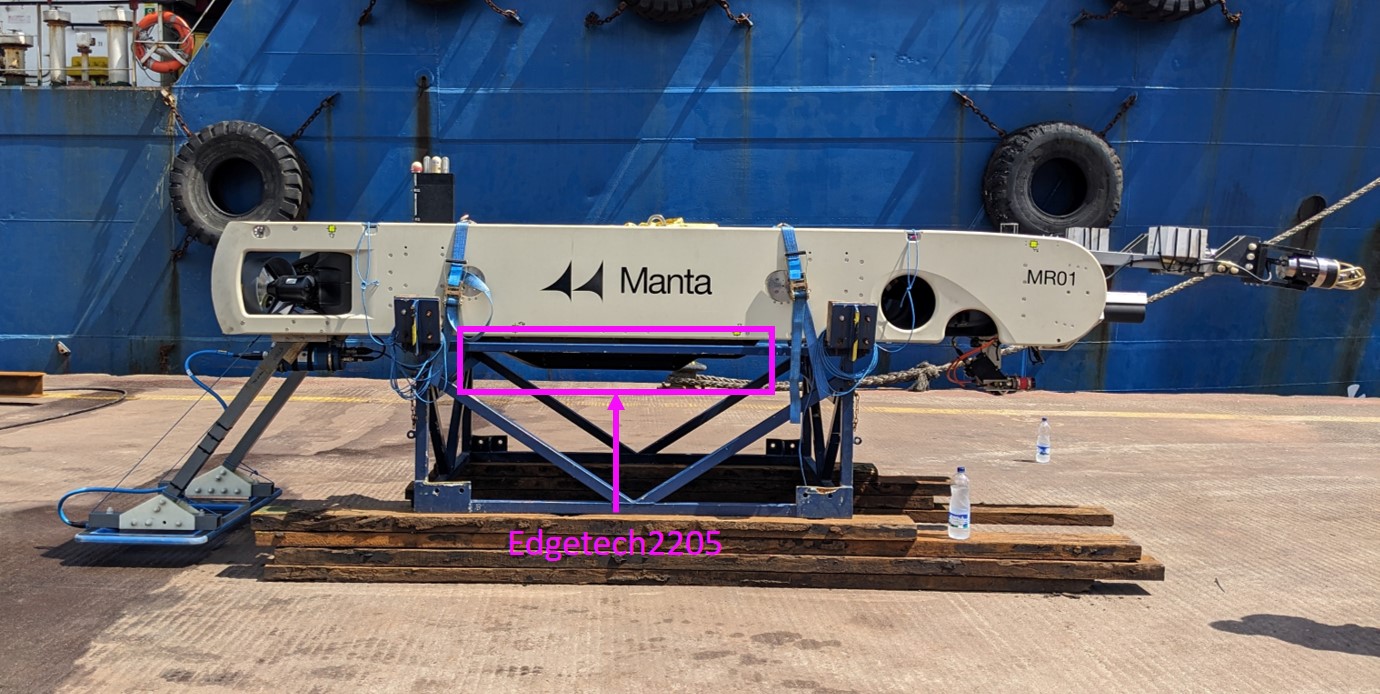
Side View
For a list of all pod connections follow this link.
Garage construction
The garage was designed by David Lyndsey and constructed in the UK. There are 8 bolts that need to be undone on each leg before the garage can be separate into 2 pieces, with the base acting as a work stand. It is a little high to be comfortable to work on, but does allow access to all areas of the vehicle. The technical Drawings can be found here.
The bullet, that attaches to the LARS, is connected to the rear most lifting hole. This is the hole closest to the wings.
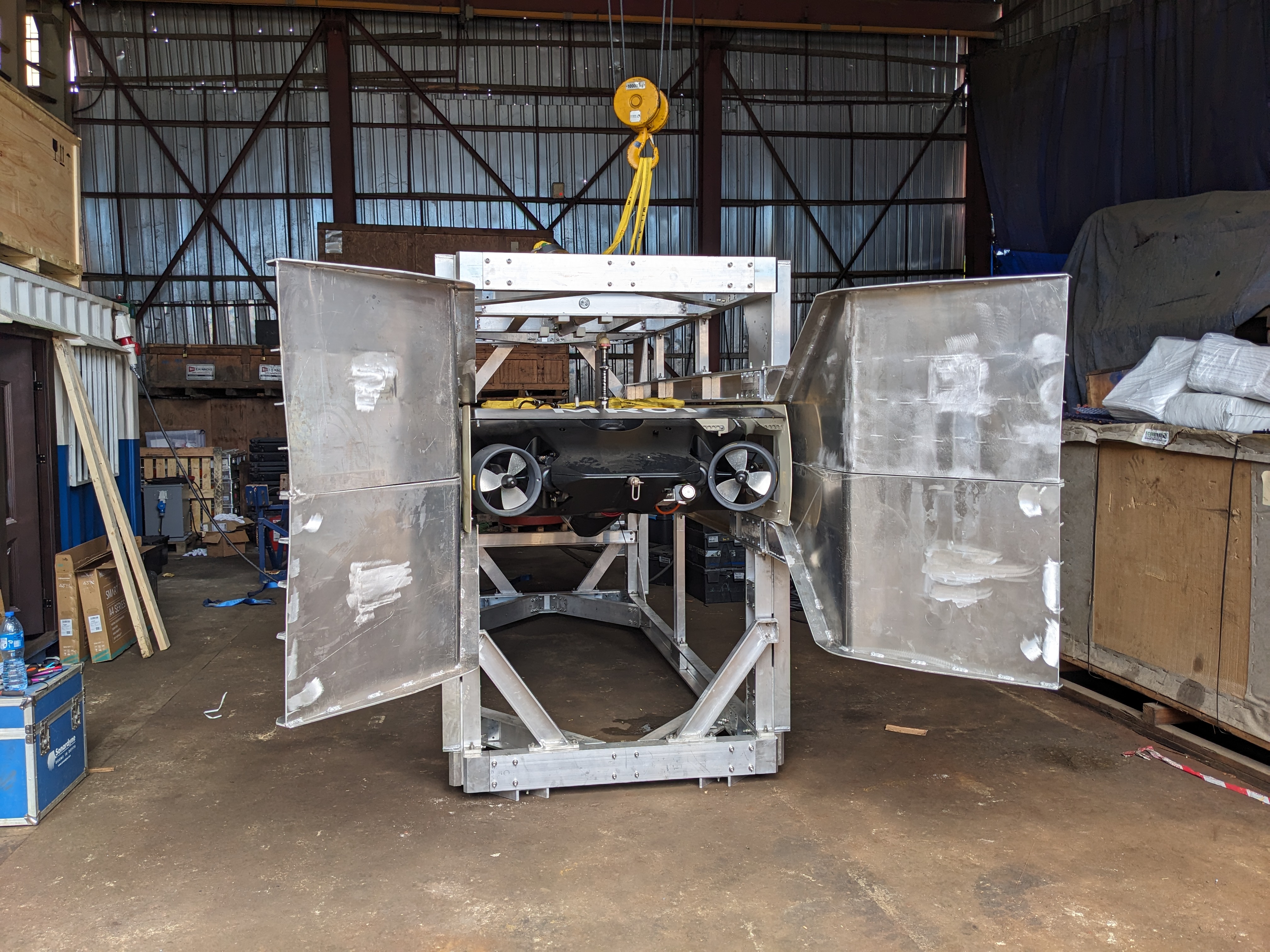
Aft View
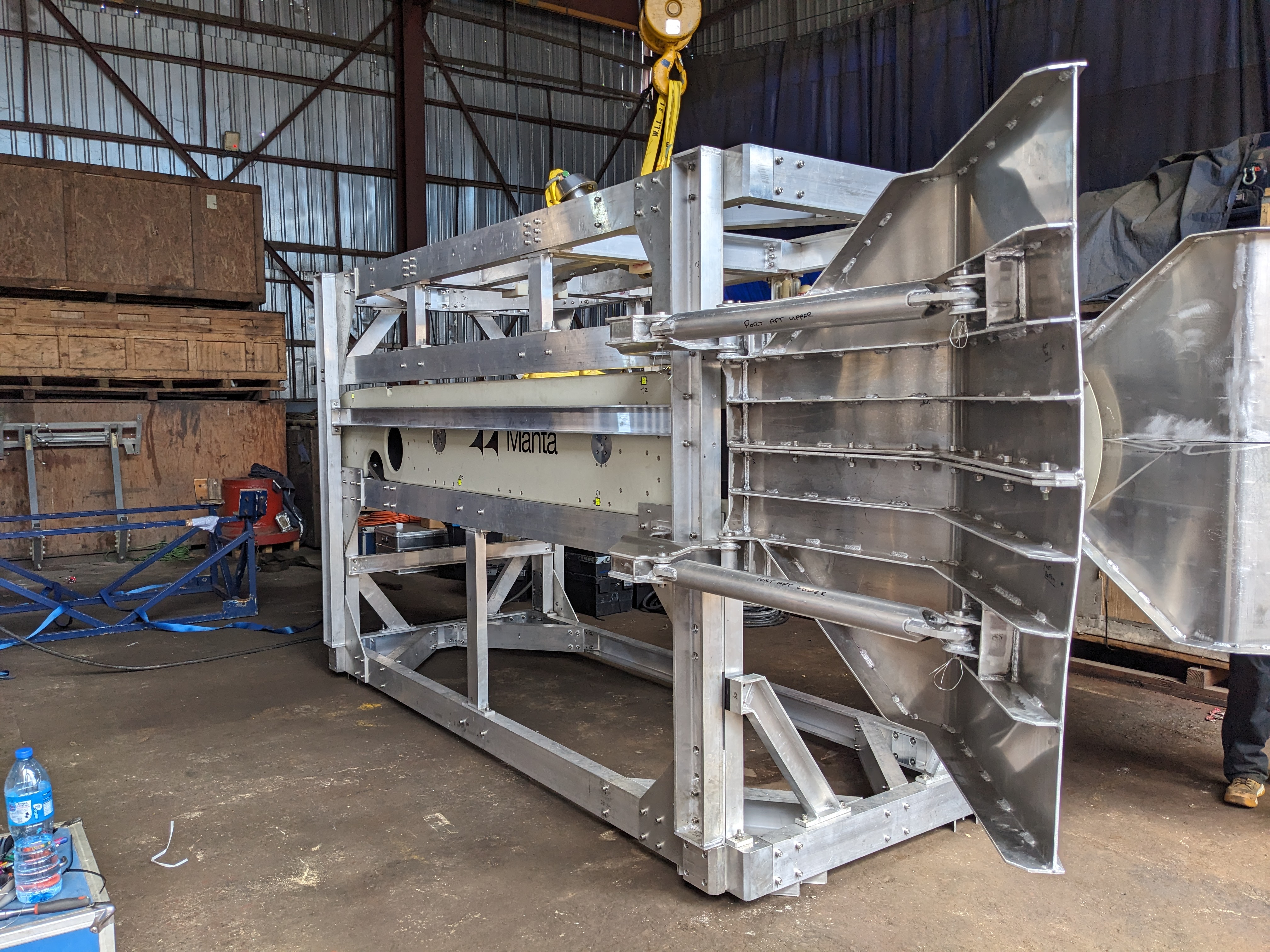
Port Side View
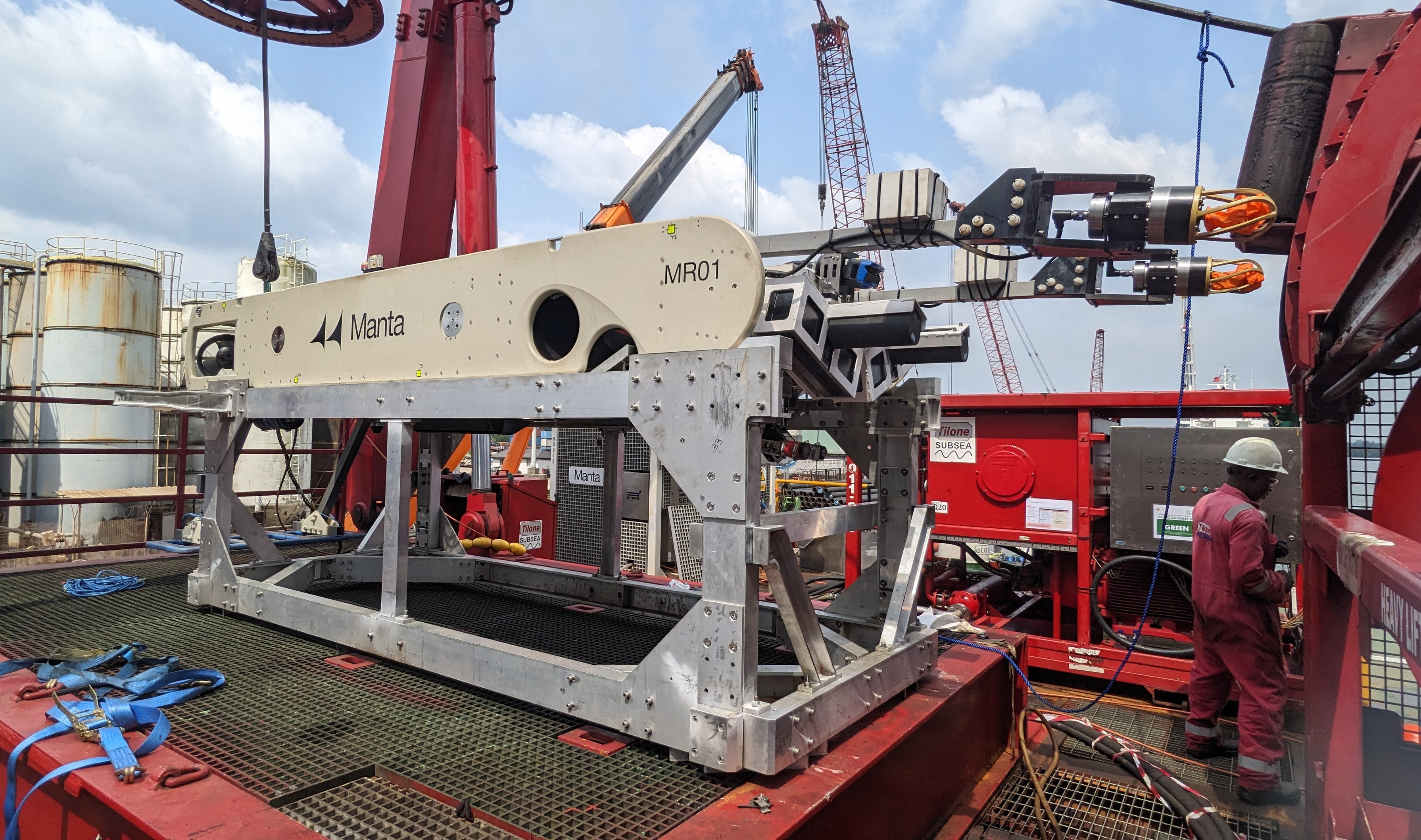
Split garage - Work stand
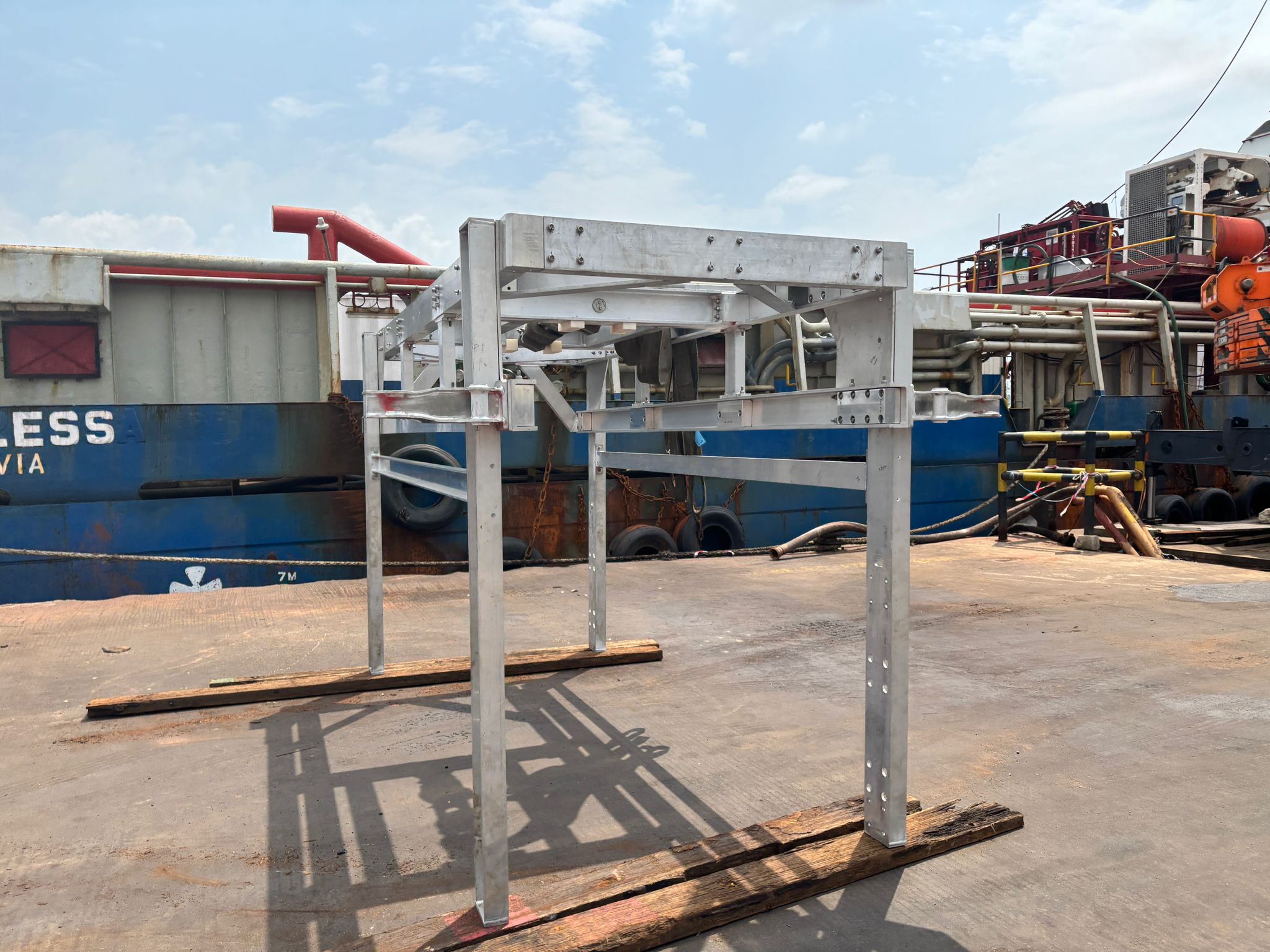
Split garage - Top section
The idea from the office was that if we have to split the garage to work on the vehicle, the wings are removed, the top section is lifted into the snubber and out boarded to leave the LARS platform clear. Unfortunately that isn't the case, the LARS cant lift the top section high enough and the provisions crane doesn't have the reach....all of which is a little bit of an oversight.
Battery Charger
The transformer is located in the workshop, and the charger and cables are currently in the stores container.
Camera Configuration
| HMI Camera No. | Location | Type |
|---|---|---|
| Camera 1 | AFT | Colour |
| Camera 2 | FWD | B/W |
| Camera 3 | FWD | Colour Fish Eye |
| Camera 4 | N/A | N/A |
| Camera 5 | FWD | HD Colour |
SAC
The SAC is protected with a write protection filter, meaning any changes you make get reversed if the PC restarted i.e pinning items to taskbar, share permissions for backups etc. If you watn to make a permanent change then the write needs to be disabled.
Open Command Prompt and run the command "UWFMGR.EXE FILTER DISABLE". The SAC will then need to reboot to disable the Write Protection, once restarted make your changes and enter the command "UWFMGR.EXE FILTER ENABLE". Make sure you close all windows and open tabs, otherwise they will reopen whenever the SAC is turned on. Then restart the SAC enabling the Write Protection once again.
PDU
Winch
Vehicle IP Listing
Defects
TFR No.XXX:
Issue: No power to the TSS660, TSS is always on with power coming from the 24v DC power supply. Replaced fuse F21 inside pod, tested okay. Need to wet test vehicle to see if this has solved the issue.
TFR No.XXX
Issue: No responsive LED lights
TFR No. XXX
Issue: FiGS sensor not receiving commands sent from topside. Confirmed wiring topside, confirmed Perle server operation (Tx/Rx packets both ends okay), problem persists with spare FiGS sensor. Spare harness connected, commands being received and sensor responsive. Old harness removed and tagged for investigation.