How to check comms in NaviPac & NaviScan
Shortcuts to the NaviPac and NaviScan Config can be found on the desktop of the Reporting PC.
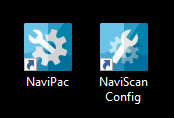
Shortcuts
NaviPac
LNAV via Mirror Port
To test the LNAV output, which is sent via the Saab mirror ports (192.168.0.244:20501), open NaviPac. Select any of the LNAV inputs which comes under MR01,and in the properties windows on the right click '...' on the I/O row.
This opens the I/O Selector, and when you press Connect you should get some that looks similar to the below screenshot. LNAV is binary, so don't expect to be able to read it.
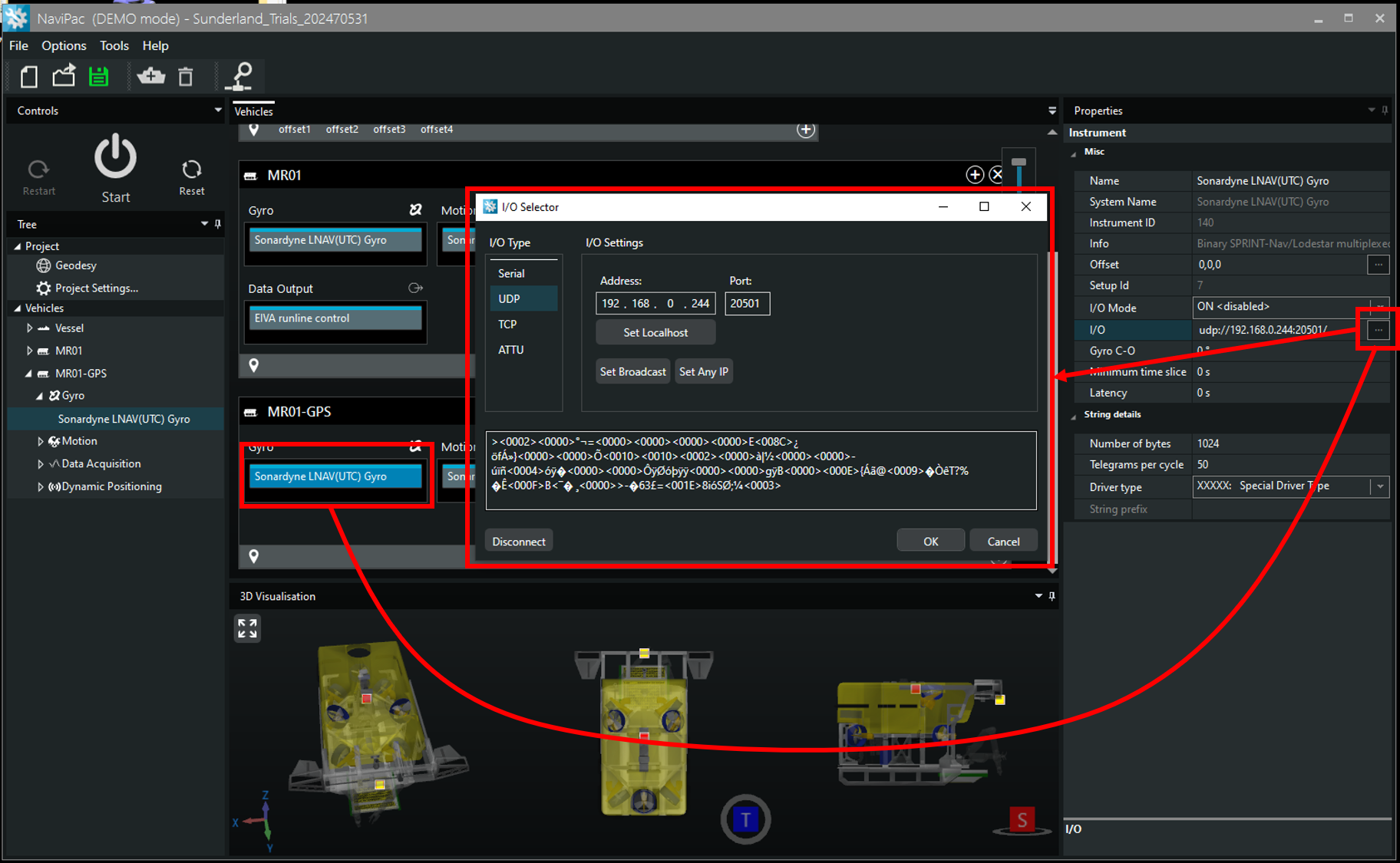
LNAV Check in NaviPac
NaviScan
LNAV direct
To test LNAV direct from the SprintNAV (192.168.0.222:4093), open NaviScan. Select LNavUTCMotion, press '...' to open Port settings window and then Connect. The window should populate with something that looks similar to the below screenshot.
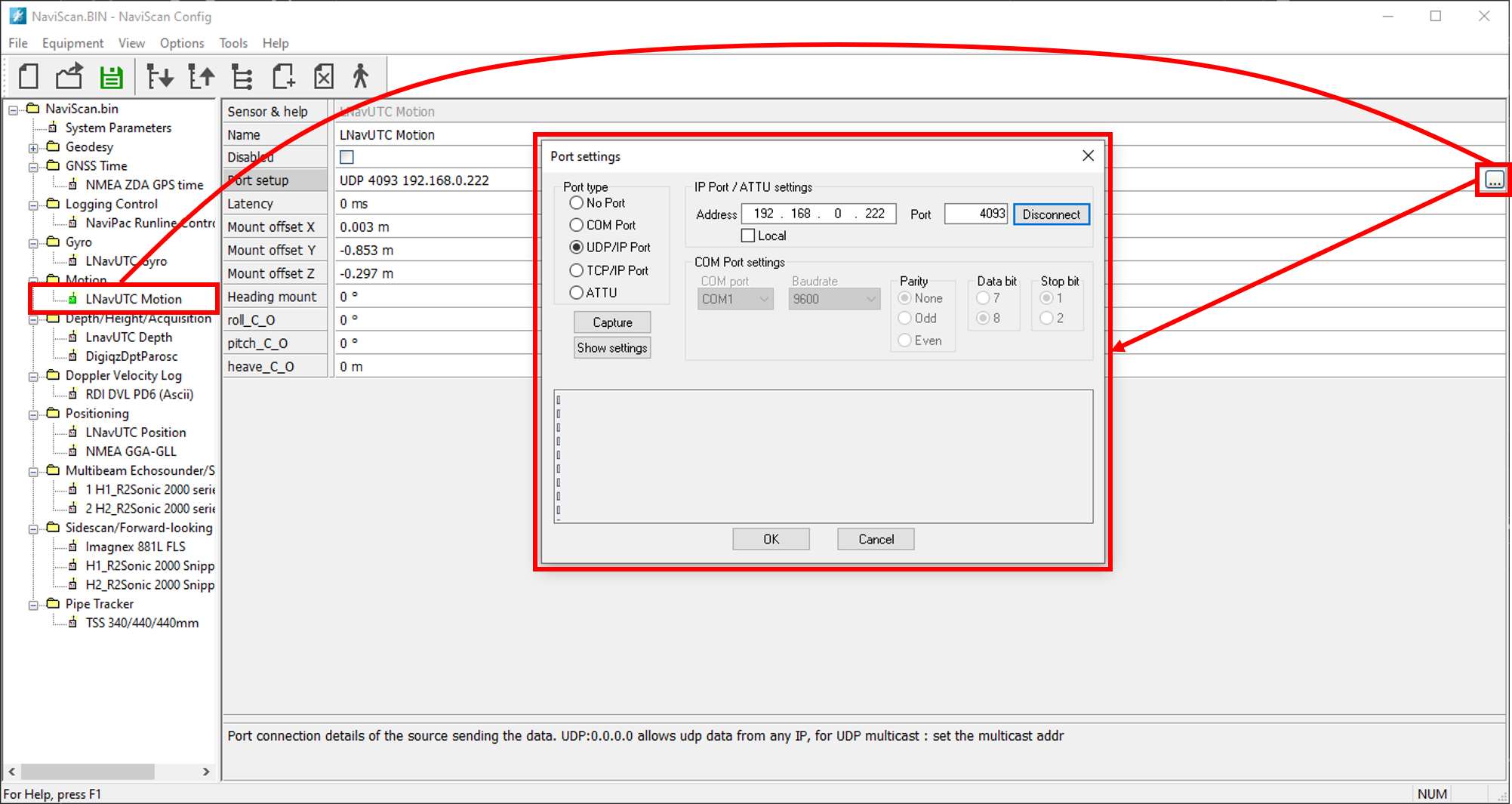
LNAV Check in NaviScan
Digiquartz
To test the Digiquartz (192.168.0.244:30502), open NaviScan. Select DigiqzDptParosc, press '...' to open Port settings window and then Connect. The window should populate with something that looks similar to the below screenshot.
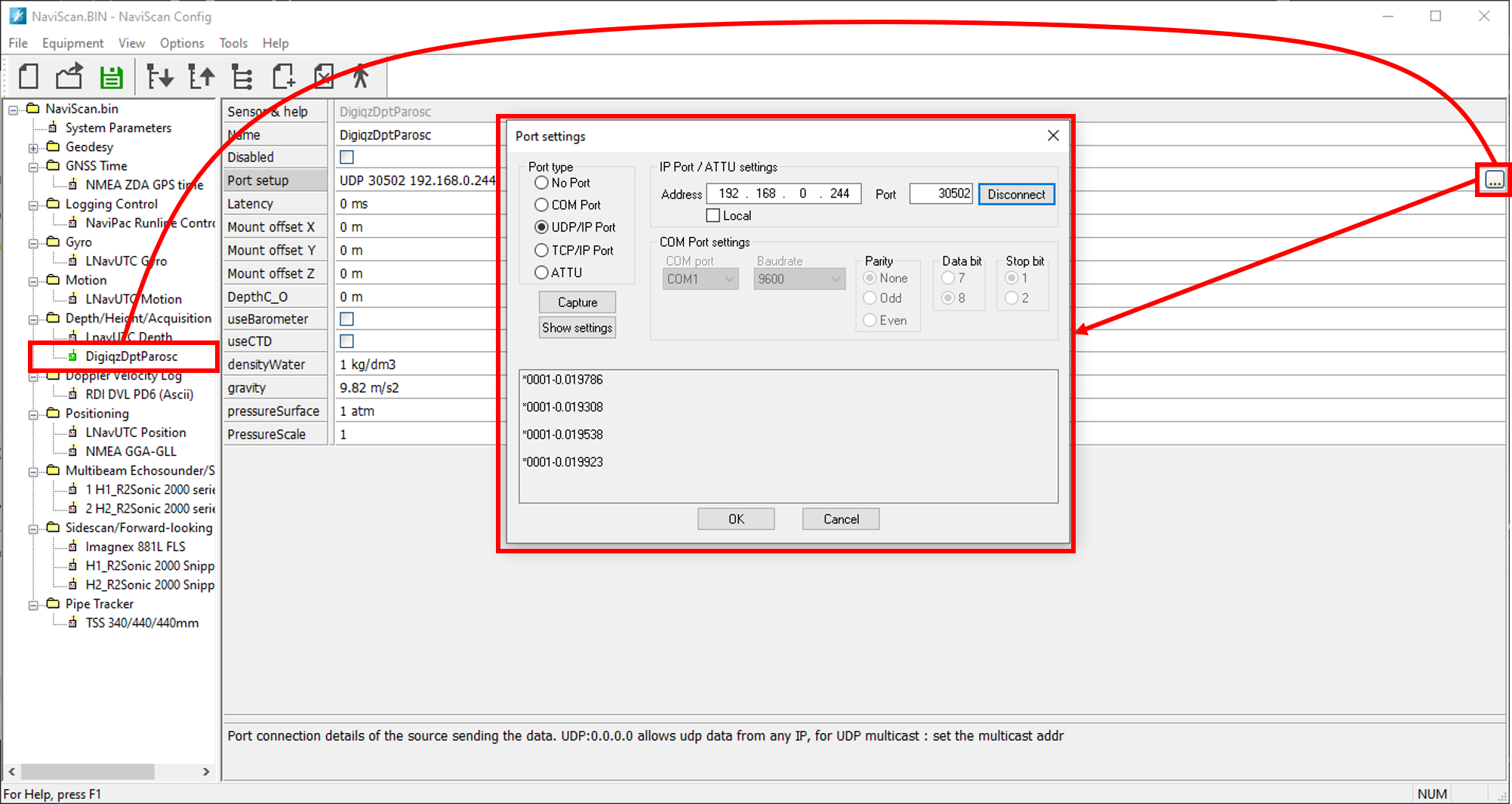
Digiquartz Check in NaviScan